Yono Rummy is an online gaming app for Android where players can enjoy Rummy and Ludo, with Yono Games, table sessions and tournaments offering different ways to play. New users can create an account, while returning players can use Yono Rummy login to access their profile and explore the available games.
For players in India, the wider Yono Games collection includes more card, board and table games to explore. Browse the individual app entries, check their game selection and review the Android requirements before choosing your download.
Find everything you need to get started with Yono Rummy APK download, from registration and login steps to installation instructions, game features and app updates. Each guide walks you through the process, with answers to common questions about account access and using the app on your phone.
Yono Rummy App
| Detail | Information |
|---|---|
| App name | Yono Rummy |
| Platform | Android |
| File format | APK |
| Main games | Rummy, Ludo, Aviator, Chicken Road and Slots |
| Rummy format | Points Rummy |
| Version | 2.1 |
| File size | 11 MB |
| Android requirement | Android 6.0 |
| Official Website | yono-rummy.games |
| Languages | Hindi, English |
| Release date | 10 October 2026 |
What Is Yono Rummy?
Yono Rummy is a mobile gaming app focused on Rummy and Ludo. Its rummy selection includes Points Rummy, where players arrange cards into valid combinations and complete a hand according to the table’s declaration and scoring rules.
The app also includes different session formats. A regular table revolves around the game being played, while a tournament follows a competition structure with its own entry conditions and progression rules. Salon rooms provide another room-based format within the service.
These differences matter when choosing a session. Someone familiar with rummy still needs to understand how the selected table handles scoring, declarations and unfinished hands. Tournament participants also need to know how rounds are organised and when the competition ends.
Game availability and account options can change between releases. After opening Yono Rummy, check the current lobby and read the rules attached to the mode you select.
Why Choose the Yono Rummy Game?
Yono Rummy brings Rummy and Ludo together in an Android app, with Points Rummy, table sessions, tournaments and room-based play giving players several ways to participate. Choose a card-game session, explore a tournament or switch to Ludo for a different style of play.
The Yono Rummy app lets players explore these formats from their phones. Each mode has its own rules and session structure, so you can review the details before joining.
How Yono Rummy Works
- Review the session result before returning to the lobby.
- Create your account by opening the registration option and completing the required fields.
- Complete verification if requested by following the instructions on the screen.
- Log in to your account to access the game lobby.
- Choose Rummy or Ludo from the available game selection.
- Review the game rules, including scoring, session format and participation conditions.
- Join an available table, room or tournament for your selected game.
- Follow the game controls and complete your actions during the session.
Game Categories in the Yono Games Collection
Yono Rummy features Rummy and Ludo, while the wider Yono Games collection includes more card, prediction, table and dice games. Whether you enjoy arranging a rummy hand, moving tokens around a board or following shorter game rounds, explore the categories below to find a format that interests you.
🃏 Rummy & Poker Games
Explore card games such as Points Rummy and Poker, where card combinations and the rules of each hand shape the experience. Points Rummy focuses on forming valid sets and sequences, while Poker introduces ranked hands and different stages of play. These formats offer distinct ways to enjoy card gaming on your phone.
🎲 Ludo & Board Games
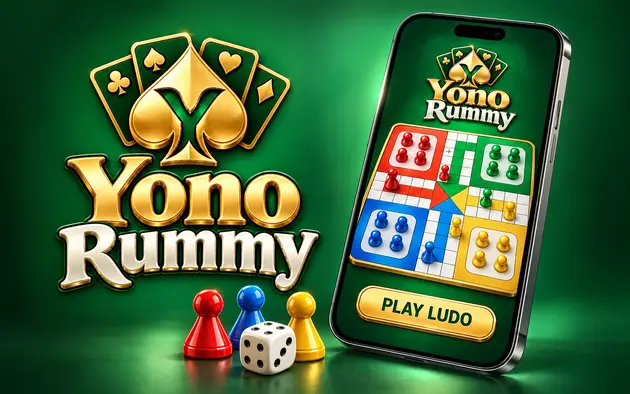
Enjoy Ludo, a familiar board game built around dice rolls, token movement and reaching the home area. Follow your tokens around the board, keep track of other players’ positions and complete the objective for your selected mode. It offers a change of pace from the card-game selection in Yono Rummy.
🎯 Colour Prediction & Lottery Games
Explore Wingo Lottery, with colour or number selections organised into defined rounds. Each format has its own choices, countdown and result conditions. This category centres on short rounds, with the current game screen showing the available selections and timing.
⚡ Crash & Multiplier Games
Discover Crash, a game format built around a changing multiplier and a round-ending event. Its continuous display gives it a different rhythm from turn-based card and board games. Each round has its own outcome, and previous results do not determine when the next round will end.
🎰 Table & Dice Games
Browse Andar Bahar, Dragon & Tiger, Roulette, 7 Up Down and Jhandi Munda in the wider Yono Game selection. These titles cover card comparisons, numbered-wheel results and dice outcomes. Each offers a different round structure, so the game instructions explain how selections and results work.
How to Play All YONO 777 Arcade Games
Choose a game from the YONO 777 Arcade Games collection, learn its controls and follow the rules for each session. Whether you prefer card games, board games or shorter rounds, start by understanding the objective and how the result is determined.
Steps to Play YONO 777 Arcade Games
- Open your chosen Yono Game app and log in to your account.
- Choose a game from the lobby to view its available modes.
- Read the game rules, including the objective, controls and scoring system.
- Select an available mode or table and review its participation conditions.
- Start the session and use the on-screen controls to make your moves or selections.
- Follow the turn order or round timer, depending on the game you selected.
- Check the result when the session ends to see how your score or outcome was calculated.
- Return to the lobby to choose another game or finish your session.
The controls differ between titles. Card games may involve arranging or selecting cards, while board and other arcade games use their own actions. Review the instructions whenever you try a new game.
Before You Download Yono Rummy App
A few checks can help prevent interrupted downloads and installation problems:
- Android version: Compare your phone’s system version with the app requirement.
- Free storage: Leave room for the APK, installation and app data.
- Internet connection: Use a connection stable enough to complete the transfer.
- Package details: Review the application name, publisher and release information.
- Existing installation: If the app is already installed, check whether you need an update instead of a separate download.
Keep your phone’s security protections enabled. If the device reports a problem with the file, read the warning before proceeding.
How to Download Yono Rummy APK
- Open the Yono Rummy download page. Confirm that the page corresponds to the application you want.
- Review the app details. Check the version, file size and minimum Android requirement.
- Select Download Yono Rummy APK. Start the transfer once and let the browser process it.
- Wait for completion. Check the download indicator instead of repeatedly pressing the button.
- Locate the downloaded file. Open your browser’s downloads list or the Downloads folder in your file manager.
- Confirm that the transfer finished. Do not open a file that is still downloading or marked as incomplete.
If the connection drops, check whether the browser offers a resume option. When starting again, identify the incomplete copy so that you can distinguish it from the finished package.
How to Install Yono Rummy App on Android
- Open the completed APK. Select the package from your downloads list or file manager.
- Check the application name. Make sure the installer identifies the app you intended to download.
- Review the installation prompts. Read the information Android displays before continuing.
- Complete the installation. Allow the process to finish without opening another copy of the package.
- Launch the app. Select Open when installation finishes or use the new app icon.
- Follow the opening instructions. Review any introduction, account options or setup information shown.
Android menus differ between phones. Follow the prompts on your device, and investigate any security warning rather than dismissing it automatically.
How to Register a Yono Rummy Game Account
Registration takes place inside the application using the fields shown on its account screen.
- Open Yono Rummy. Wait for the initial screen to load.
- Choose Register or Sign Up. Select the option for creating an account.
- Enter the required information. Complete the fields displayed on the form.
- Create the requested credentials. If a password is required, use one that you have not used for another service.
- Read the account terms. Review the conditions before submitting your registration.
- Complete verification if requested. Follow the process shown by the application.
- Submit and wait for confirmation. Avoid sending the form repeatedly while it is processing.
Keep access to the recovery method connected to your account. This will be important if you change phones or forget your login details.
How to Log In to Yono Rummy
- Launch the application. Use the same app you used when registering.
- Select Login or Sign In. Choose the option for an existing account.
- Enter your account details. Use the identifier and credentials associated with your profile.
- Complete any additional prompt. Follow verification instructions if they appear.
- Submit the login form. Wait for the account area or game lobby to open.
- Check the active profile. Confirm that you are using the intended account before continuing.
If access fails, use the available recovery option. Reinstalling the application does not necessarily resolve an account problem.
On a shared phone, sign out when finished and avoid saving credentials where another person can access them.
How to Update the Yono Rummy App
- Check the installed version. Find the version number in the app information screen or Android settings.
- Compare the available release. Review the version number and release notes, where provided.
- Confirm compatibility. Check whether the update changes the Android or storage requirement.
- Download from the associated source. Use the distribution source connected to your existing installation.
- Follow the update prompts. Allow Android to finish the process.
- Reopen the application. Check account access and your usual settings.
Do not uninstall the current app as a routine update step. Removing it may delete locally stored information. If Android reports a conflict, read the full message before deciding what to do next.
Important Disclaimer
This website is an independent information resource, not the official website or mobile application of Yono Rummy. We do not own, operate or manage the third-party gaming applications mentioned here.
Our content is provided for educational and informational purposes, including Yono Rummy APK download guides, login instructions, registration tutorials and explanations of game formats. App versions, features and availability may change, so users should review the current information provided by the relevant operator.
References to Yono Games or other applications do not constitute an endorsement or a recommendation to deposit money. Product names and trademarks belong to their respective owners, and their inclusion does not imply an official partnership.
Financial Risk Warning
Games involving deposits, betting or real-money participation carry a risk of financial loss. Winning is never guaranteed, and users may lose the money they commit. These activities should not be treated as employment, an investment or a reliable source of income.
Before participating, users should:
- Understand the financial risks and the conditions attached to deposits, bonuses and withdrawals.
- Never use borrowed money or funds needed for essential expenses.
- Protect personal and financial information, including passwords and verification codes.
- Meet the applicable age requirements and check the restrictions in their location.
- Set limits on time and spending and stop if participation becomes difficult to control.
Any decision to access a third-party application or participate in its games is made by the user. This website does not guarantee outcomes, payments or the performance of third-party services.
Yono Rummy Game FAQs
What Games Are Available on Yono Rummy?
Rummy and Ludo are the main games associated with the app, with Points Rummy among its formats. Open the current lobby to see which games and session types are available to your account.
What Is the Difference Between Yono Rummy and Yono Games?
Yono Rummy refers to the rummy-focused application. Yono Games covers a broader collection of card, board and table games. The selection inside an individual APK depends on that application.
Does One APK Include All Yono Games?
A collection can contain several separate applications. Check the description of each download instead of assuming that one APK includes every entry shown on the collection page.
Can I Install Yono Rummy APK on an iPhone?
An APK is an Android installation package. An iPhone requires a separate iOS distribution option, if the provider offers one. An Android download cannot be installed directly as an iPhone app.
Does Downloading the APK Create an Account?
No. Downloading saves the installation file, and installation adds the application to your phone. Account registration is a separate step completed through the app.
Can I Use the Same Account After Updating?
An update to the same application generally retains its account setup, but you should keep your login and recovery details available. Check the update instructions before removing an existing installation.
What Should I Do if I Forget My Password?
Use the recovery option on the login screen and follow the instructions for your registered account method. Do not share verification codes with someone offering to recover the account on your behalf.
Is Yono Rummy Available Throughout India?
Availability and eligibility depend on the provider and applicable restrictions. Check the current conditions for your location before registering or participating. A downloadable APK does not establish that every feature is available everywhere.
Final Thoughts
Yono Rummy combines Rummy and Ludo with different session formats, while the wider Yono Game collection includes additional card, board and table titles. Understanding the application you are downloading helps you choose the right package and follow the correct account process.
Check the release details, complete the installation steps and take time to learn the controls. Before joining a session, read the rules for the selected game and confirm its current participation conditions.